
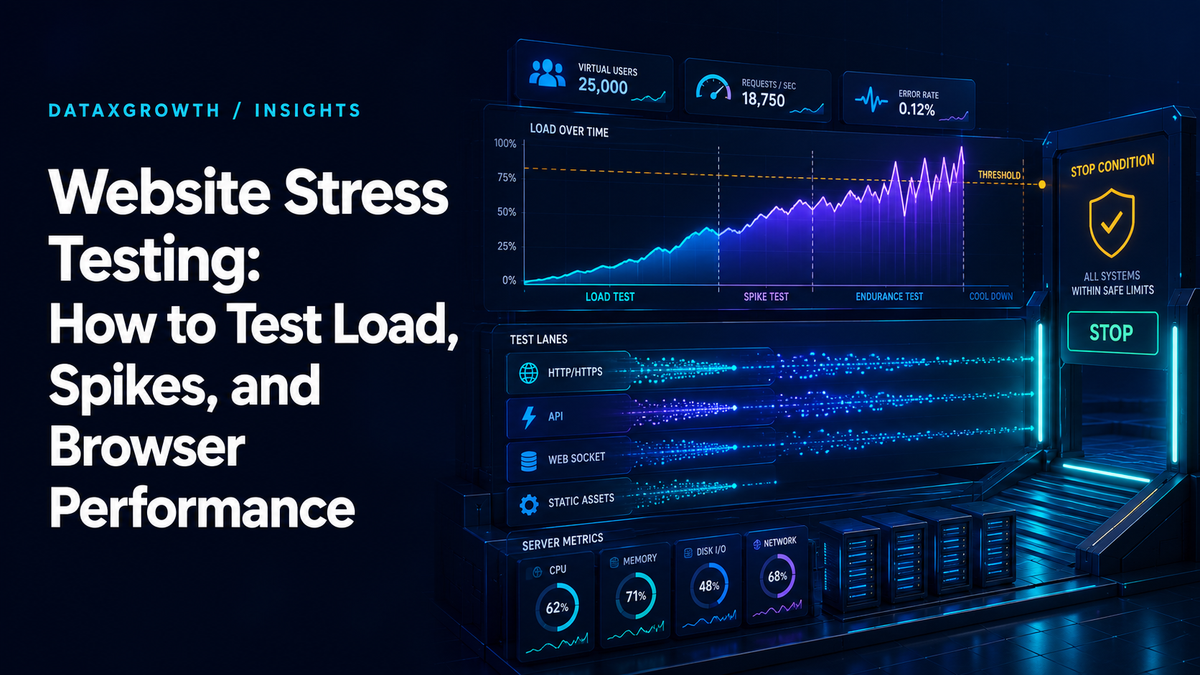
What is website stress testing?
Website stress testing applies increasing, authorized load, measured in virtual users or requests per second, beyond normal expectations to find where response times, error rates, resource use, or critical journeys fail and how the site recovers after the load is removed. It should follow a valid baseline and controlled test plan. Uncoordinated load against production can disrupt service, trigger defenses, create cost, or affect real users.
A useful stress test does not ask, “How many users can the site handle?” It asks which defined journey fails first under a documented traffic model, why it fails, and whether the system recovers.
Before generating load, establish written authorization, environment, traffic limits, data protections, provider coordination, observability, abort thresholds, incident contacts, and a recovery plan.
Load testing vs stress testing, plus spike, soak, and breakpoint tests
Load testing checks how a website performs at the traffic you expect, such as a normal day or a planned campaign peak. Stress testing pushes past that expected level to find where response times, error rates, or critical journeys break, and whether the site recovers when the load drops.
Load test: Is the site ready for the traffic we expect? It runs at modeled average or peak load, and it passes when every threshold holds.
Stress test: How much margin do we have, and how does the site fail? It runs beyond expected load, and its output is the first failure point plus the recovery behavior.
Both use the same scripts, virtual users, and metrics, so run the load test first and reuse it as the baseline for the stress test. Grafana k6's testing guides add four more types that answer narrower questions: smoke, spike, soak, and breakpoint tests.
Smoke test
Run minimal load for a short period to confirm that scripts, test data, checks, authentication, and observability work. A smoke test catches setup defects before they invalidate a larger run.
Average-load test
Model expected routine traffic and journey mix. Establish latency, throughput, error, saturation, and business-flow baselines under normal conditions.
Load test
Load testing is the part of performance testing that evaluates behavior under modeled demand. The test may use average, peak, sustained, or changing load, but the traffic shape and objective must be stated.
Stress test
Ramp virtual users or request rate beyond expected levels to identify degradation, failure, constraints, and recovery behavior. The objective is not uncontrolled destruction; it is to understand margin and failure modes.
Spike test
Apply a rapid increase and decrease in demand to evaluate sudden events, autoscaling, queues, caches, rate limits, and recovery. A spike pattern may represent a campaign, announcement, flash sale, or traffic anomaly.
Soak test
Run sustained load long enough to expose resource leaks, queue growth, storage problems, connection exhaustion, scheduled-job interactions, or degradation that does not appear in a short test.
Breakpoint test
Increase pressure carefully to locate a system limit under a controlled scenario. This can be costly and disruptive and requires explicit stop conditions. It is not appropriate when the business only needs to verify a known peak.
The correct test is based on risk and decision. There is no universal concurrency target, duration, or user count.
Authorization, environment, and stop conditions
Only test systems you own or have explicit permission to test. Authorization should name domains, IPs, APIs, environments, dates, traffic sources, accounts, data, providers, and responsible people.
Decide where to test
- Dedicated performance environment: safer isolation and repeatability, but it must resemble production closely enough for the question.
- Staging: useful for script and release validation, but it may have smaller infrastructure, different data, disabled integrations, or different caching.
- Production: offers the most realistic system and third-party behavior, but it can affect users, costs, data, alerts, vendors, and reliability. Use only with written approval and proportionate controls.
Define stop conditions
Examples include sustained error rate, critical-journey failure, latency threshold, saturation, queue growth, resource exhaustion, alert volume, provider limit, real-user impact, data-integrity risk, or a direct instruction from the incident owner.
Coordinate dependencies
Notify hosting, CDN, WAF, security, payment, identity, analytics, and other relevant providers. Test traffic may be blocked, billed, classified as abuse, or pollute business reporting. Use dedicated accounts and test data where appropriate, and label or filter synthetic events.
The website maintenance service can establish change, backup, incident, and escalation controls that support safe testing.
Define scenarios and service objectives
Model customer behavior and system demand rather than sending arbitrary requests.
For each scenario, record the business journey, the page or API sequence, user state and test data, the traffic model (virtual users or request rate, ramp, duration, geography, and cache state), dependencies such as payments or identity, and the thresholds and stop conditions that define pass or fail. The test plan at the end of this guide lists every field.
Translate business statements into measurable conditions. “Handle the campaign” is incomplete. “Preserve successful lead submission for the modeled regional traffic mix while latency, error rate, queue depth, and provider limits remain within approved thresholds” is testable.
Our website management services connect performance requirements to the wider website backlog and release process.
Protocol, browser, and hybrid testing
Choose the test layer based on the system question.
Protocol-based testing
Protocol scripts generate requests directly against HTTP, APIs, or other interfaces. They can create substantial backend pressure efficiently and are useful for throughput, latency, errors, and resource behavior. They do not reproduce the full browser render and interaction experience.
Browser-based testing
Browser tests drive a browser through customer actions and can measure rendering, frontend JavaScript, page behavior, and interaction. They require substantially more test-generator resources and are not normally the most efficient way to create large backend load.
Hybrid testing
A hybrid design uses protocol traffic for scale and a smaller number of browser journeys for frontend and task evidence. Align the traffic model and timestamps so results can be correlated.
Grafana’s website load-testing guide explains that protocol tests verify backend performance through underlying requests, while browser tests simulate real browser actions and include frontend behavior. Neither layer replaces the other when both frontend and backend risk matter.
Website stress testing tools
Most teams script tests in an open-source load testing tool, then run them from their own machines or a hosted service. Choose the tool that fits your team's language and the test layer you need.
Grafana k6: open source, with tests written in JavaScript. The k6 browser API adds browser-based performance tests alongside protocol load.
Apache JMeter: an open-source Java application that works at the protocol level, so it does not render pages or run page JavaScript.
Locust: open source, with test scenarios written in plain Python.
Hosted platforms such as Grafana Cloud k6, Loadster, or LoadFocus: run virtual users from cloud infrastructure so you do not manage load generators yourself. Confirm limits, pricing, and allowed targets before you start.
The script matters more than the brand. Model real journeys, ramp virtual users gradually, and record response times, error rates, and throughput against the thresholds in your plan.
Start with smoke and average load
Escalate in stages so a script defect or missing metric does not contaminate an expensive test.
- Review authorization, scope, data, dependencies, and abort conditions.
- Run functional checks without material load.
- Run a smoke test to validate scripts, checks, credentials, and dashboards.
- Establish an average-load baseline and confirm the system is stable.
- Test the approved peak or scenario.
- Add stress, spike, soak, or breakpoint behavior only when it answers a remaining decision.
- Stop, preserve evidence, and verify recovery.
- Analyze the first threshold breach and correlated constraints.
- Implement a controlled fix and rerun a matched scenario.
Starting at extreme load can create a dramatic graph without producing a trustworthy explanation.
Metrics and thresholds
Use a metric dictionary so every result has a source, unit, aggregation, time window, and owner.
Request and journey metrics
- successful completion of the critical journey;
- response time percentiles (for example, p95 and p99) rather than only averages;
- throughput or completed transactions;
- HTTP, application, validation, and business error rates;
- retries, timeouts, redirects, and dependency failures;
- data integrity and duplicate transaction checks.
System metrics
- CPU, memory, disk, network, and connection saturation;
- database latency, locks, queries, connections, and replication;
- queues, workers, thread pools, containers, serverless instances, and autoscaling;
- CDN and application cache hit ratio;
- origin load, external API limits, payment or identity capacity;
- logs, traces, exceptions, and incident alerts.
Browser and experience metrics
- navigation and resource timing;
- LCP, INP, CLS, long tasks, errors, and failed interactions where appropriate;
- page and asset weight, requests, rendering, and client CPU;
- successful form, checkout, search, or account completion.
Thresholds should reflect service objectives and business risk. A test is not a success because the server stayed online if checkout failed, latency made the task unusable, or data became inconsistent.
Observe the system and the load generator
The load generator, meaning the machines or cloud service running your load testing tool, can become the bottleneck. Monitor its CPU, memory, network, connections, errors, event-loop or process behavior, and output pipeline. Verify that clocks are aligned and that the intended request rate or concurrency was actually produced.
If the generator saturates, reported application limits may be false. Distributed generators introduce coordination, network, and aggregation considerations. Grafana’s large-test guidance describes planning generator resources and network capacity for large runs.
Also verify data quality:
- Were checks and assertions still executing?
- Did authentication tokens or test accounts expire?
- Did caches, rate limits, or bot protections change the scenario?
- Did third parties throttle or reject synthetic traffic?
- Were retries counted separately from successful customer actions?
- Did telemetry or logging drop events under pressure?
Analyze degradation and recovery
A useful readout shows the sequence of failure.
- Identify the first threshold or guardrail that changed materially.
- Align request, browser, application, database, infrastructure, and provider timelines.
- Find the affected journey, region, account state, or dependency.
- Determine whether latency, errors, queueing, saturation, throttling, or data defects appeared first.
- Review autoscaling, cache behavior, connection pools, retries, and backpressure.
- Observe what happens when load stops: do queues drain, latency normalize, error rates recover, and resources release?
- Separate system behavior from load-generator or telemetry limits.
Avoid a single “maximum users” number. Capacity depends on journey mix, request rate, content, cache state, data, infrastructure, geography, third parties, and performance objectives. Preserve the full scenario and version so the result can be reproduced.
Fix, retest, and automate
Convert the bottleneck into a requirement. Examples include query or index changes, cache strategy, connection limits, queue controls, application code, asset delivery, scaling, rate limits, fallback behavior, or third-party coordination.
When practical, change one factor at a time. Rerun the same traffic model, test data, environment, region, duration, and thresholds. Compare the first failure point, customer-journey success, latency, errors, saturation, cost, and recovery.
Add lower-cost regression tests to the release pipeline when the risk justifies it. Keep heavy stress or breakpoint tests controlled and scheduled; continuous integration is not a license to create production-scale load on every commit. Post-release web performance monitoring should confirm whether real and synthetic experience remains stable.
When stress testing is not the next step
Choose the method that matches the question.
- If the site is slow during normal traffic, start with the slow website diagnosis framework.
- If regressions appear unpredictably over time, establish monitoring and deployment annotations.
- If a function is incorrect without load, use functional or integration testing.
- If a release might break existing journeys, use regression and smoke testing.
- If the concern is accessibility, use automated and manual accessibility review.
- If the concern is intrusion, abuse, or vulnerabilities, use authorized security testing and incident procedures, not a stress test.
- If traffic requirements are unknown, model demand and business risk before generating load.
Stress testing is a specialized capacity and resilience tool, not a generic website audit.
A website performance test plan
Before execution, capture:
- business objective and decision to be made;
- written authorization and accountable owner;
- systems, routes, environments, IPs, dates, and providers in scope;
- excluded systems and prohibited actions;
- scenarios, user mix, data, geography, cache, and authentication;
- protocol, browser, or hybrid approach;
- expected load, peak, ramp, duration, and recovery window;
- service objectives, thresholds, guardrails, and stop conditions;
- application, infrastructure, database, browser, and generator observability;
- communication, incident, rollback, data cleanup, and post-test recovery;
- result template, version record, remediation owner, and retest criteria.
The test should not start until every high-risk field has an owner.
Website stress testing FAQs
Is it safe to stress test a production website?
It can be done only with explicit authorization, provider coordination, controlled traffic, data protection, monitoring, stop conditions, incident contacts, and an accepted risk. A representative non-production environment is safer when it can answer the decision.
How many users should I test?
There is no universal number of virtual users or concurrent users. Model arrivals, request rate, journey mix, geography, duration, cache state, and expected peaks from analytics and system evidence, then set the virtual-user count that reproduces that traffic.
How long should a stress test run?
Long enough to answer the objective and observe degradation and recovery without exceeding approved risk. Smoke, spike, stress, and soak tests require different durations.
Do browser tests replace protocol tests?
No. Browser tests cover frontend rendering and interaction but consume more generator resources. Protocol tests generate scalable backend load. A hybrid design is often appropriate when both layers matter.
Can I stress test an ecommerce site?
Yes, with controlled accounts and data, payment-provider coordination, duplicate-order protections, inventory and tax considerations, cleanup, and explicit production authorization. Never create uncontrolled real transactions.
What does failure mean?
Failure can mean breached latency or error thresholds, lost journey completion, resource saturation, data defects, provider limits, or unacceptable recovery, not only a crashed server.
Can I stress test a website I do not own?
Not without the owner's written permission. Load you generate against someone else's site can degrade service for their customers, and it can breach their terms of service and your own cloud or hosting provider's acceptable use policy. Even on your own site, coordinate with your hosting, CDN, and WAF providers first so test traffic is not blocked or treated as an attack.
Plan a safe website performance test
DataXGrowth can turn campaign, launch, migration, or capacity risk into an authorized test plan with realistic scenarios, thresholds, observability, stop conditions, and a matched retest. Connect the findings to custom website development and your ongoing website management backlog.